This guide explains how to save your progress in Grand Theft Auto 5 (GTA 5) Story Mode and GTA Online. Both games feature autosaves, but manual saves offer extra security.
GTA 5 Story Mode Saving:
There are two primary methods for saving in GTA 5's Story Mode:
1. Sleeping at a Safehouse:
- Locate a Safehouse (marked by a white house icon on the map).
- Approach your character's bed.
- Press 'E' on your keyboard or the Right D-pad button on your controller to sleep and save.
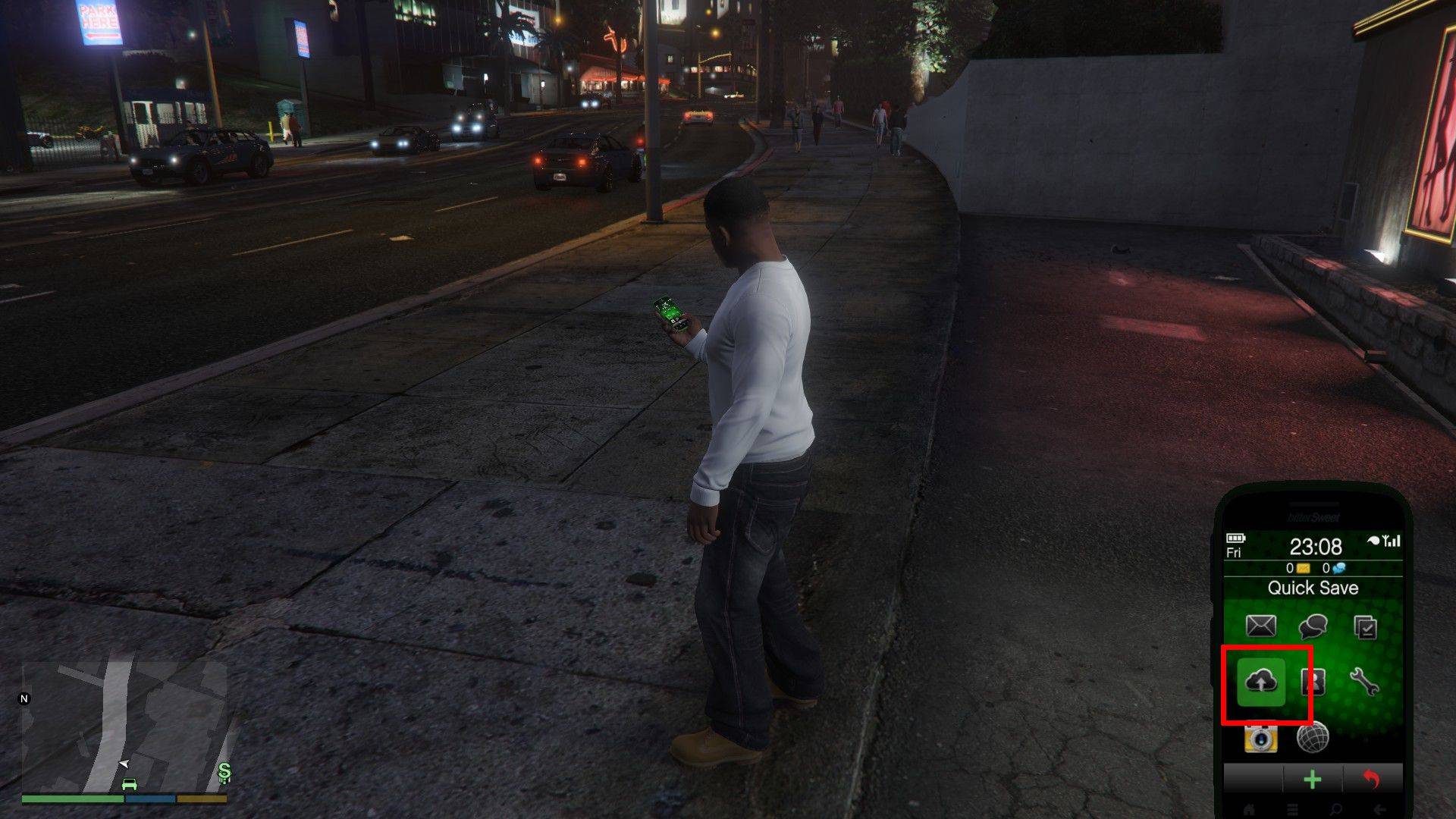
2. Using the Cell Phone:
- Open your cell phone (Up arrow key on keyboard or Up on controller's D-pad).
- Select the cloud icon to access the Save Game menu.
- Confirm the save.
GTA Online Saving:
GTA Online doesn't have a dedicated manual save menu. Instead, you can trigger autosaves using these methods:
1. Changing Outfits/Accessories:
- Open the Interaction Menu (M key on keyboard or touchpad on controller).
- Select "Appearance," then "Accessories."
- Change any accessory, or swap your entire outfit.
- Exit the Interaction Menu. Look for the spinning orange circle in the bottom-right corner to confirm the save. Repeat if necessary.
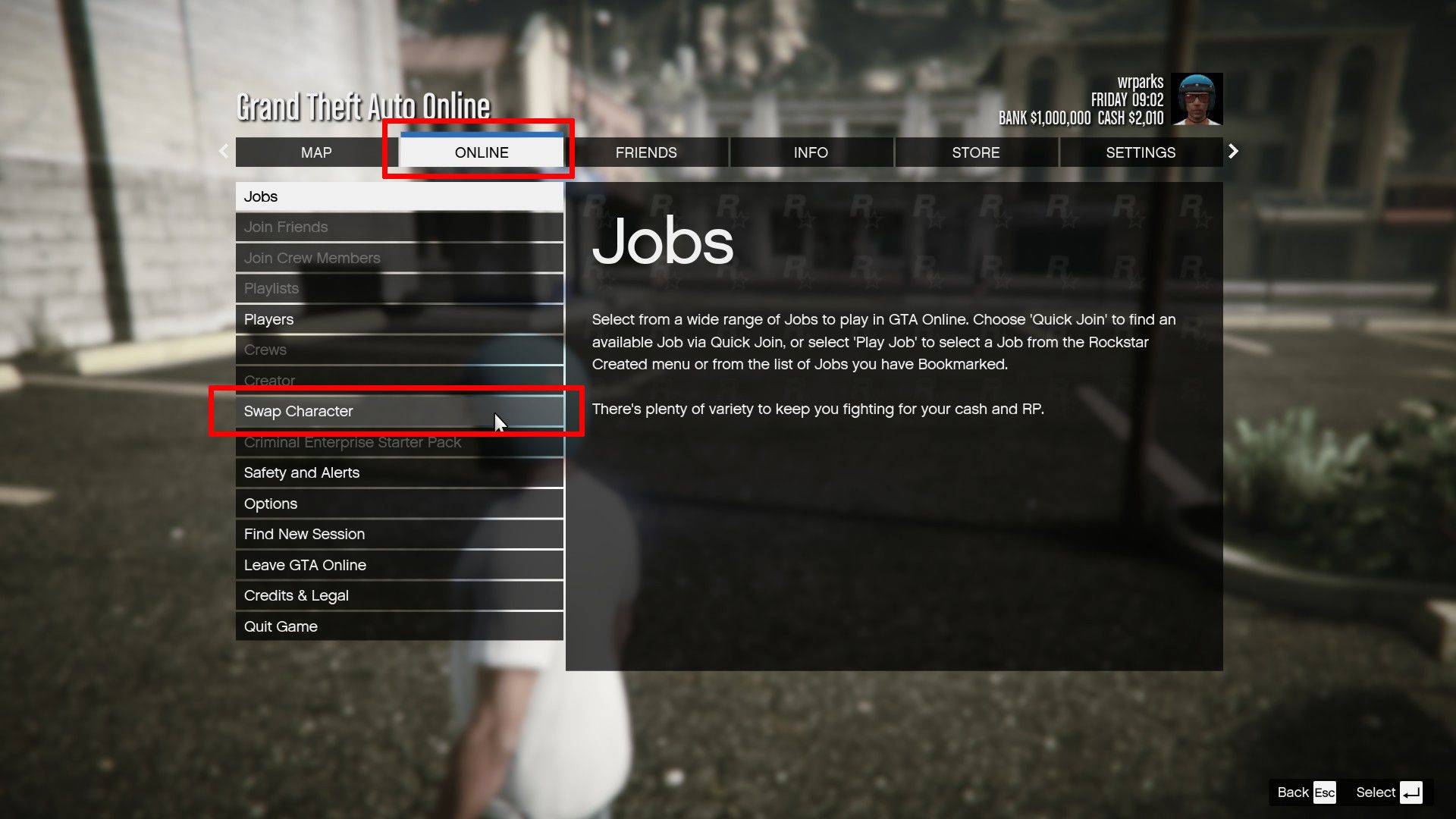
2. Accessing the Swap Character Menu:
- Open the Pause Menu (Esc key on keyboard or Start button on controller).
- Go to the "Online" tab.
- Select "Swap Character." You don't need to actually swap characters; accessing the menu triggers an autosave.
Remember, a rotating orange circle in the bottom-right corner indicates an autosave is in progress. While autosaves are frequent, utilizing these manual save methods provides an extra layer of protection against losing your progress.

 LATEST ARTICLES